Introduction
Developed by SpaceX, Starlink is a satellite-based internet service creating waves as a game-changer in world internet access. Starlink is fast becoming well-known as it is meant to offer high-speed internet to underprivileged and isolated places. How then can you find out whether your Starlink connection is providing the greatest performance? This is where a Starlink speed test finds application.
By use of a Starlink internet speed test, customers may evaluate their connection quality, troubleshoot sluggish speeds, and make required changes to maximize performance. This tutorial will walk you through how to do a speed test Starlink, what influences outcomes, and how to improve your internet speed for a flawless online experience. In addition does starlink might helpful in elections?
1. What is Starlink Speed Test?
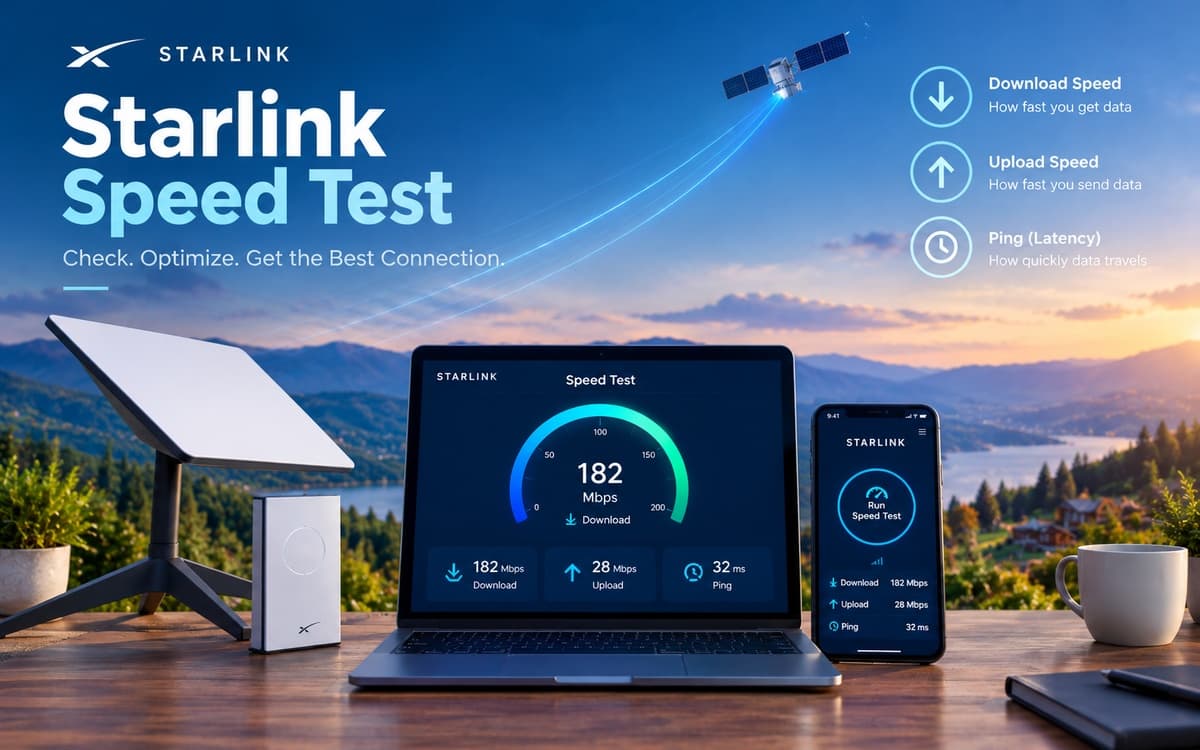
By examining important performance indicators including: A Starlink speed test gauges the effectiveness of your internet connection.
Determines your device's download speed—that is, its capacity to absorb internet data. This impacts file downloads, browsing, and streaming.
Important for video conversations, cloud backups, and gaming is upload speed—that is, the speed at which data flows from your device to the internet.
Ping, or latency, is the data transfer's delay between your device and the server. Real-time events such gaming and video conferences depend on low latency.
Frequent speed tests let you track variations and adjust your network settings in line.
2. How to Perform a Starlink Internet Speed Test?
Doing a Starlink internet speed test requires little effort and may be accomplished several ways:
Using the Starlink App
Launch your device's Starlink app.
Go to the "Speed" section.
To find out about your connection, click "Run Speed Test".
Examine the findings to evaluate latency, download, and upload rates.
Applying Third-Party Speed Test Tools
Should you want outside tools, you can make use of:
Ookla Speedtest (www.speedtest.net)
Fast.com, Netflix's online speed test tool
Search "Speed Test" on Google and click "Run Speed Test." Google Speed Test
Verifying Speed Using Starlink Router Settings
Enter into the online portal to access your Starlink router settings.
Search the "Network Performance" part.
For more exact results, do a speed test straight via the router.
How often should you do a Starlink Speed Test?
To track performance variances, check morning, peak hours, late night periods of the day.
When your connection fails or sluggish internet speeds.
Following changes in network configuration or dish location.
3. Appreciating Starlink Speed Test Results
After a speed test Starlink, proper interpretation of the findings depends on:
1. What is a decent Starlink speed.
Download Speed: 50–250 Mbps.
Upload speed is 10–40 Mbps.
Ping: 20–50 ms; lower is ideal.
2. Why is latency so crucial?
3. Why might Starlink's speed change?
4. Factors influencing Starlink Internet Speed
Several elements affect the consistency and accuracy of your Starlink internet speed test findings:
Geographical & Environmental Aspects
Obstacles—trees, buildings, etc.—may interfere with satellite communications.
Temporary slowing down might result from weather (rain, storms).
Changes in satellite location can cause small speed variations.
Congestion in a Network
Peak use times when more people are online might cause speeds to decline.
Should multiple Starlink users in your vicinity be active simultaneously, speeds may momentarily drop.
WiFi interference and router placement
Make sure the Starlink router is positioned free from electronic interference and heavy walls in an open area.
WiFi signals can be disrupted in households by appliances as cordless phones and microwaves.
Hardware Restrictions
5. How Might Your Starlink Speed Test Results Be Improved?
Try these remedies if your Starlink internet speed test reveals slower-than-expected findings:
Improve Starlink Dish Positioning
Establish a Wired (Ethernet) Connection
Upgrade to a Better Router
Limit Bandwidth Use & Connected Device Count
Cut background streaming, cloud backups, and big downloads.
Cut off dormant devices from the network.
Restart Starlink Hardware.
To routinely renew the connection, power cycle your router and Starlink dish.
6. Contrasting Starlink Speed with Other Internet Service Providers
How fast Starlink is compared to conventional internet providers?
Internet Type
Average Speed
Starlink
50-250 Mbps
Fiber Optic
500-1000 Mbps
Cable Internet
100-500 Mbps
DSL
10-100 Mbps
Drawbacks and Benefits of Starlink
Advantage:
Perfect for far-off rural communities.
Not depending on any physical infrastructure.
rapid mobility and setup.
Disadvantage:
Conclusion
Monitoring your internet performance and guaranteeing you have the greatest connectivity depend on a starlink speed test. Understanding how to run a Starlink internet speed test, examine findings, and enhance your setup will help you to maximize your speeds and enjoy a flawless online experience.
If you have poor speeds, think about environmental elements, network congestion, and hardware upgrades. Starlink can offer a dependable and fast internet connection—even in the most isolated areas—with the correct tweaks.
Are you looking for a reliable software solution? Read the full article and discover how decimal solution can help transform your practices!
FAQs
1. How may I do a Starlink speed test?
Check your internet speed with the Starlink app, Speedtest by Ookla, or Fast.com.
2. What reasonable Starlink internet speed is?
With latency between 20-50 ms, speeds vary between 50-250 Mbps download and 10-40 Mbps upload.
3. Why low is my Starlink speed?
Speed can be impacted by elements like network congestion, satellite location, and weather.
4. How may my Starlink speed test be better?
Change your router, maximize dish location, utilize a wired connection, and restrict bandwidth-heavy activities.
5. Does Starlink faster than traditional broadband providers?
Starlink is fantastic for remote locations, however normally fiber and cable internet provide better speeds with less latency.
Why Decimal Solutions?
Focusing in custom software development, ERP systems, CLMS, CRMS, and AI-powered solutions, Decimal Solution is Businesses trust us for AI-driven invention for the following reasons:
Custom AI Solutions — We fit for your specific business requirements artificial intelligence solutions.
Our team makes sure your present systems easily incorporate DeepSeekV2.
Compliance and Data Security — First concern is data security following industry best practices.
We promise ideal functioning of your AI solutions by means of 24/7 support and maintenance.
Get in Touch With Us!
Let us assist you to find practical opportunities among challenges and realize your dreams.
linkedin.com/in/decimal-solution — LinkedIn
decimalsolution.com/ — Website
thedecimalsolution@gmail.com — Email




 Logistics & Customer Experience